Context
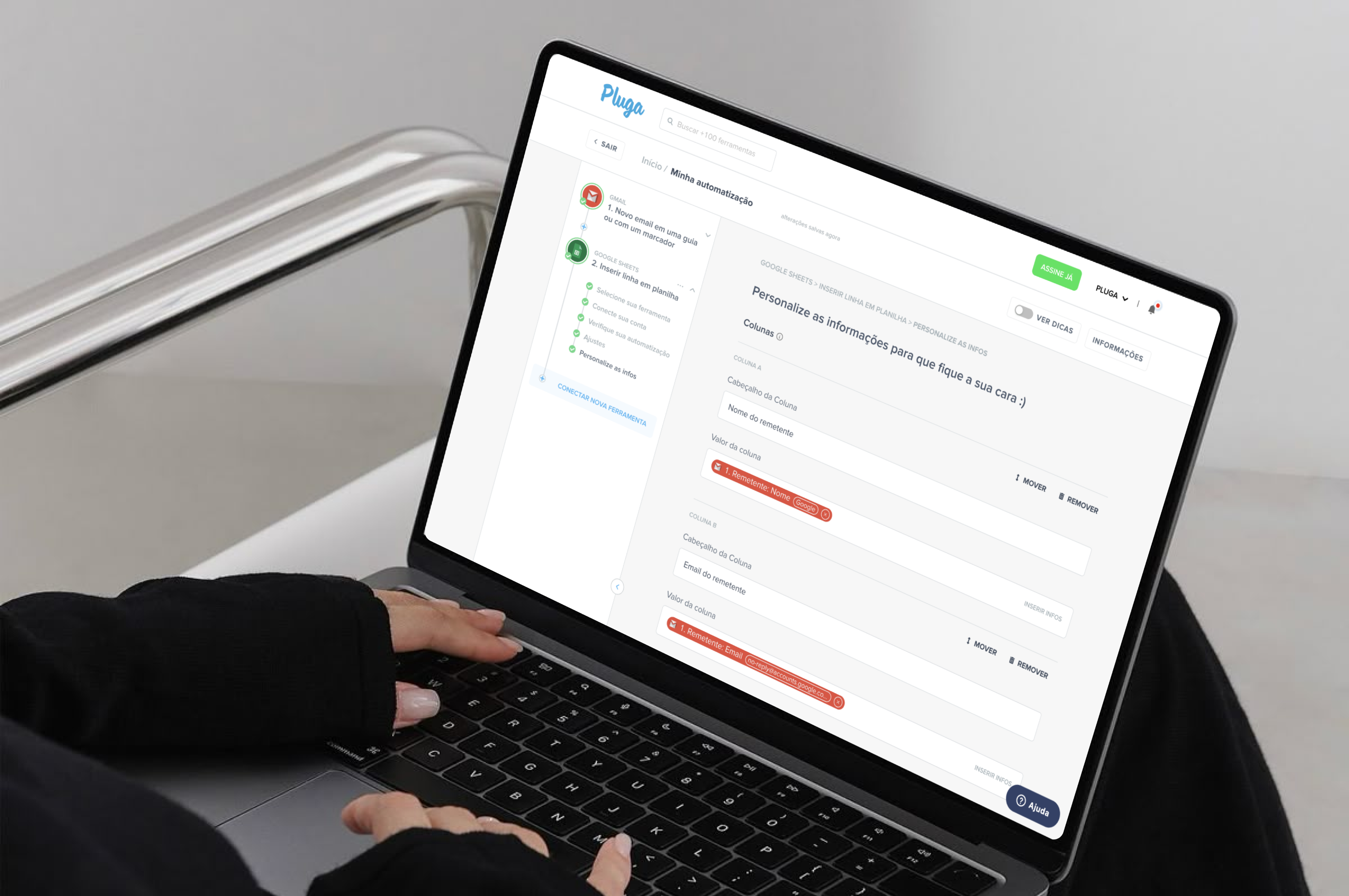
Pluga is an iPaaS startup – Integration Platform as a Service. Pluga has a no-code product that allows the creation of integrations between web tools through its APIs. It is extremely useful for small businesses that have their work processes spread across different web tools.
Embracing the opportunity
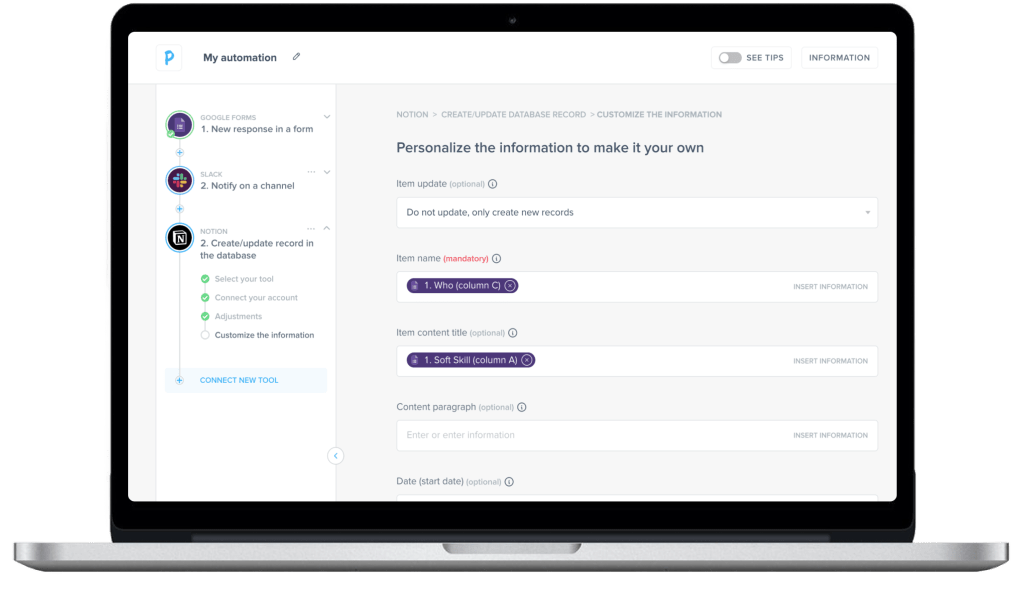
While competitors allowed users to build complex, multi-step automations, Pluga was limited to simple two-step templates. As the product designer responsible for leading research, prototyping, and usability testing, I worked on a new automation builder that preserved Pluga’s user-friendly signature while unlocking the flexibility and power users needed.
A new UX becomes a new identity
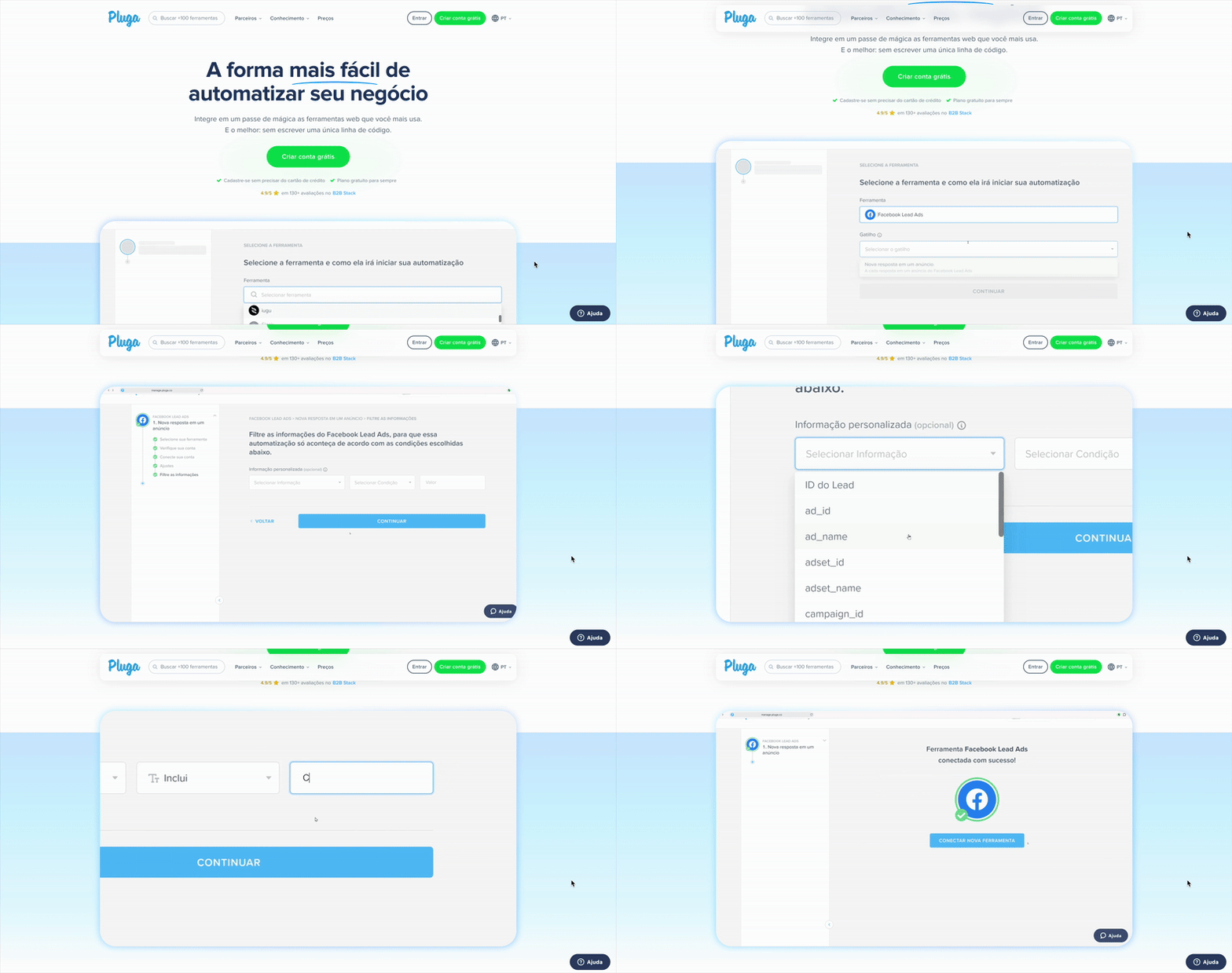
Since workflow automation is the main value offered by Pluga and these automations are created in the new builder, this experience has become Pluga’s new identity. A sneak peek at the new user flow was displayed on the website’s home page (pluga.co) to communicate the company’s concern with pleasant and efficient experiences.
Creating upsell opportunities
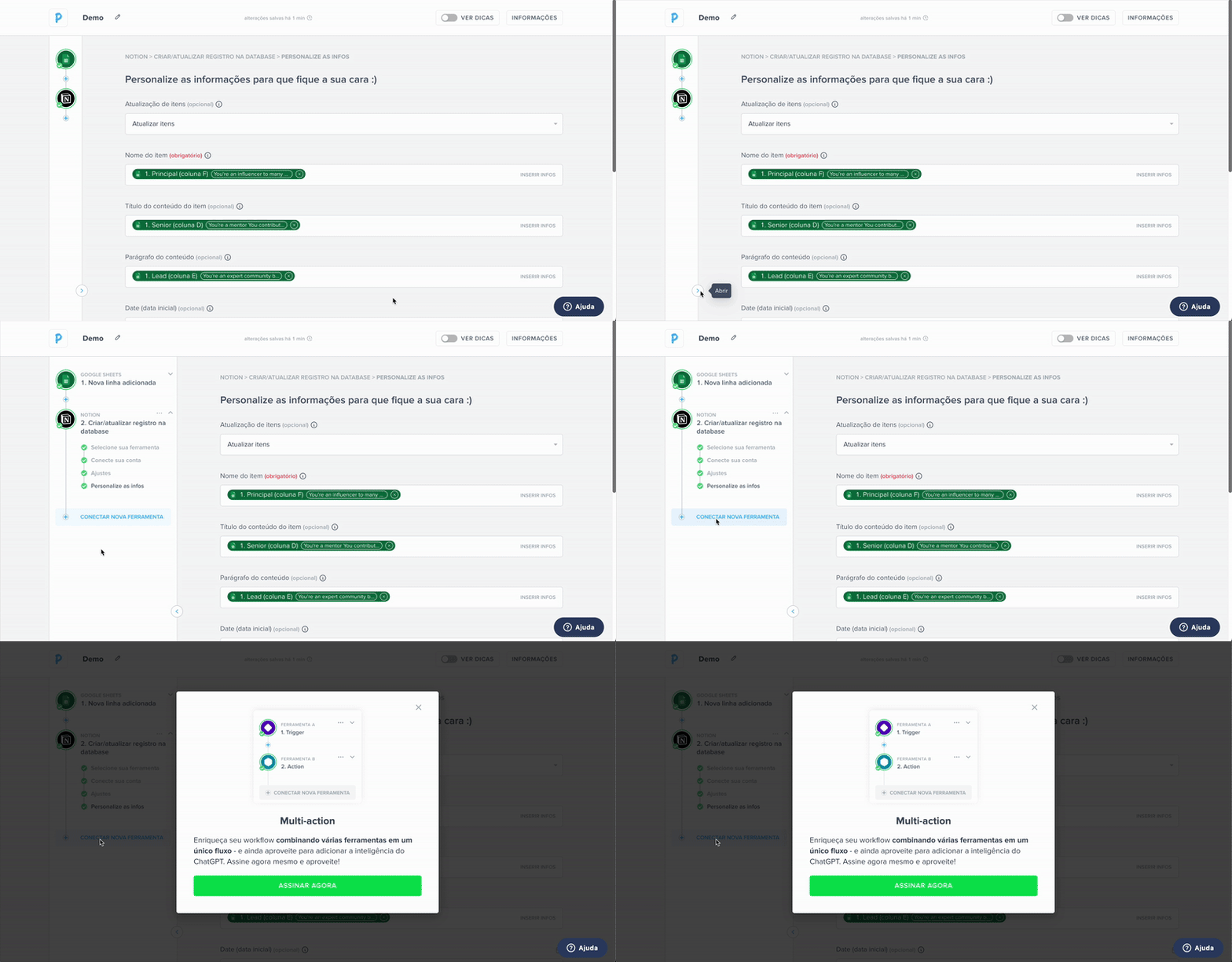
Since this new automation builder enabled more than two steps automation (something that was not possible before), a new revenue generation opportunity was created. This opportunity was reflected in the product through a paywall that required users to subscribe in order to benefit from this feature.
A Turning Point for Pluga
The introduction of Pluga’s new automation builder marked a turning point for the product. Moving beyond the limitation of two-step templates, users can now design complex, multi-step workflows that mirror the sophistication of leading competitors. This shift reshaped the user experience, making it more flexible, and aligned with real-world needs.
A peek into the experience before this work
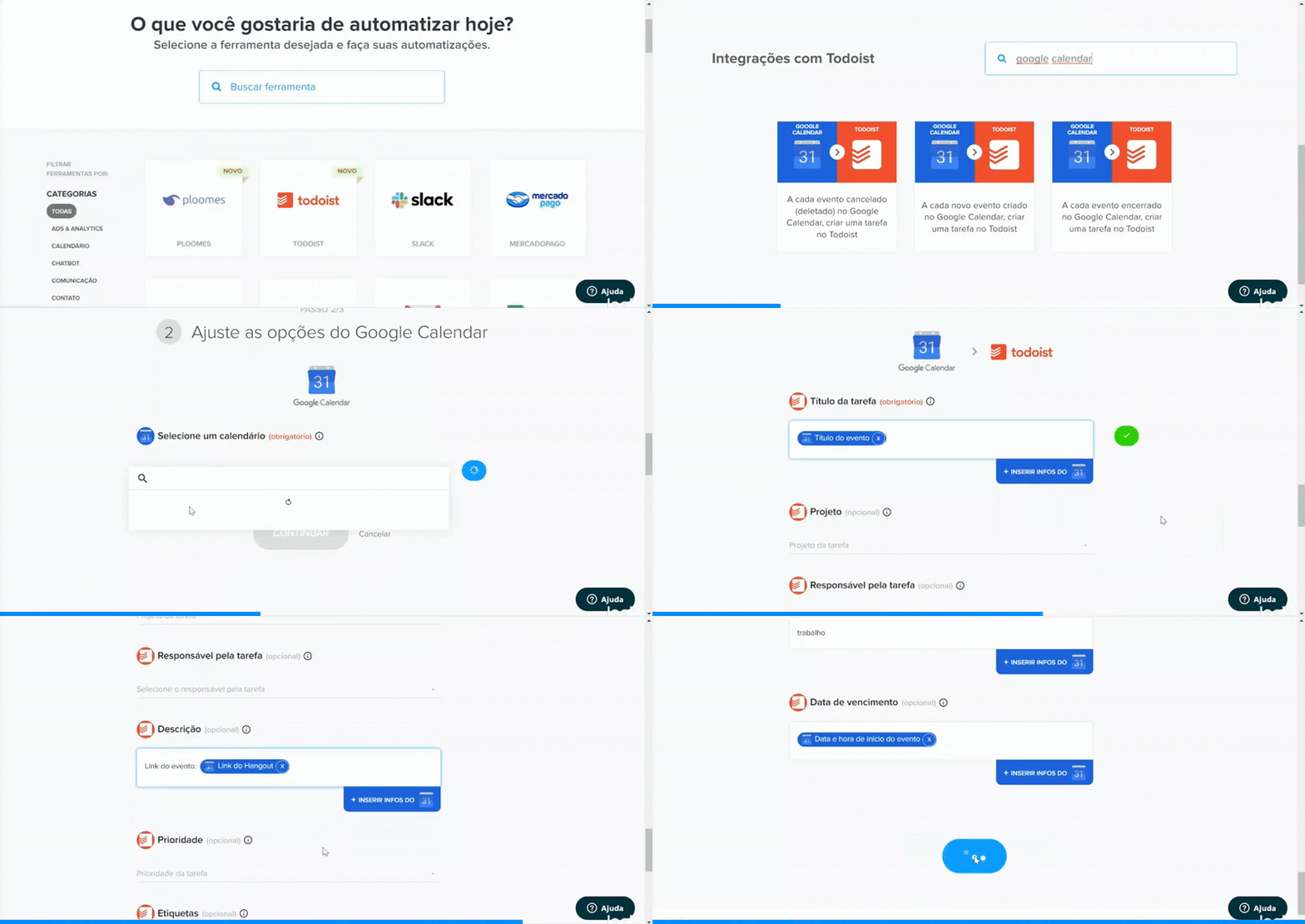
Beyond usability, the new builder established a scalable foundation for future growth, enabling the product to support increasingly complex scenarios without sacrificing clarity. As a result, Pluga matured from a lightweight tool into a robust and competitive platform, strengthening its position in the automation market.
How the experience looks now
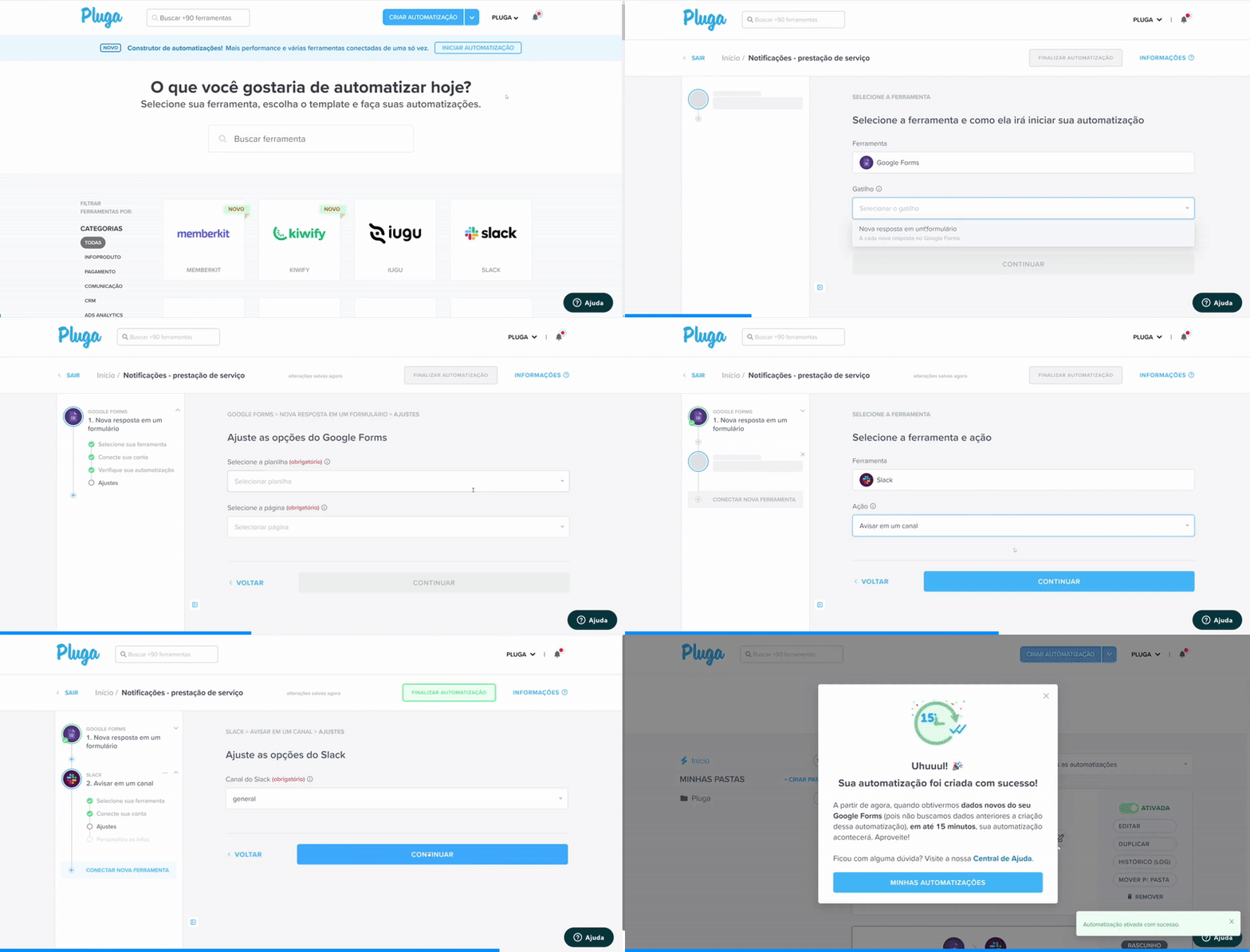
The process behind the solution
Problem Validation (Discover)
Methodologies used:
- User Interviews (16 participants, various company segments)
- Running Lean (Ash Maurya) interview script for structured conversations
- Hypothesis Validation: Tested 3 hypothetical problem scenarios with users
Outcome:
- Validated the main problem (multi-step automation gap)
- Identified one “non-problem” and one “nice to have”
- Generated additional unexpected user pain points → noted for backlog
- Built empathy and confidence through real user stories
Prioritization (Define)
Methodologies used:
- Impact x Effort Matrix → adapted to Impact x Multi-action Matrix to focus on scope-relevant problems
- Problem Prioritization based on impact and relation to multi-step automation
Outcome:
- Clear focus on the primary problem
- Identified high-impact “out of scope” opportunities for future backlog
- Structured prioritization aligned with business objectives and user needs
Ideation & Prototyping (Develop)
Methodologies used:
- Benchmarking against competitors (Zapier, Make, IFTTT, Integrately, Alloy, Typeform)
- Pattern Analysis → identified common automation flows as best practices
- Flowcharting to define multi-step automation process
- Low-fidelity Prototyping in Figma for early exploration
- Brainstorming/Collaboration with manager → new layout concept (sidebar + central inputs)
Outcome:
- New interface concept balancing Pluga’s simplicity with flexibility
- Avoided over-complexity (compared to Make) while ensuring scalability
Validation & Refinement (Test & Deliver)
Methodologies used:
- Landing page creation on Webflow to introduce users to the upcoming new builder
- Recruiting users for usability testing through a fake door
- Usability Testing (13 sessions with both technical and non-technical users)
- Medium-fidelity Prototype in Figma for flow validation
- Iterative Refinement → solved friction points before final design
- High-fidelity Prototype for demonstration and stakeholder alignment
Outcome:
- Awareness and curiosity about the new builder
- Pool of engaged potential testers
- Flow validated across user profiles
- Friction points resolved quickly
- Final prototype showcased the new feature’s usability and simplicity
Looking Ahead
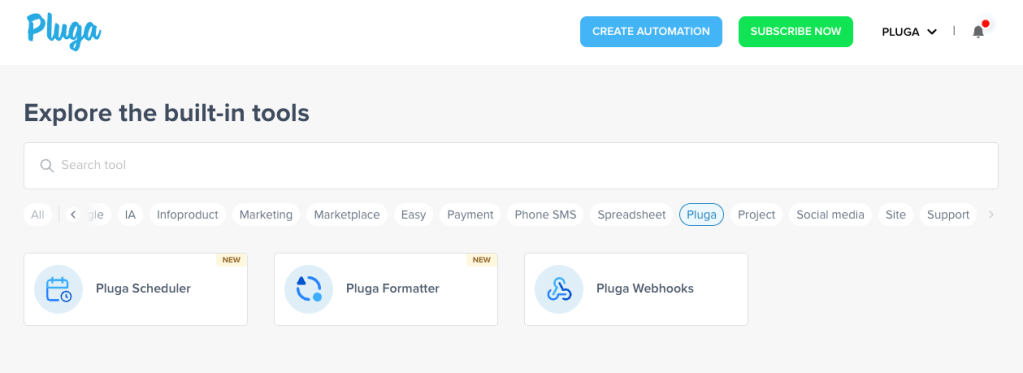
The new automation builder not only redefined Pluga’s user experience but also set the stage for long-term product evolution. By balancing simplicity with flexibility, the foundation now supports continuous improvement, such as the new Pluga tools designed to make the workflow smarter.
New Pluga tools to power workflows in the new builder
This transformation elevated Pluga’s role in the automation landscape. What had once been perceived primarily as a simple, no-code connector for small businesses evolved into a scalable platform capable of supporting increasingly complex operations. By introducing a foundation that could handle multi-step workflows, Pluga not only addressed immediate user needs but also created space for continuous growth, advanced features, and monetization strategies.
